You
have no items in your shopping cart.
Understanding Aperture, Shutter Speed, and ISO: The Exposure Triangle
October 30, 2026
1 min read

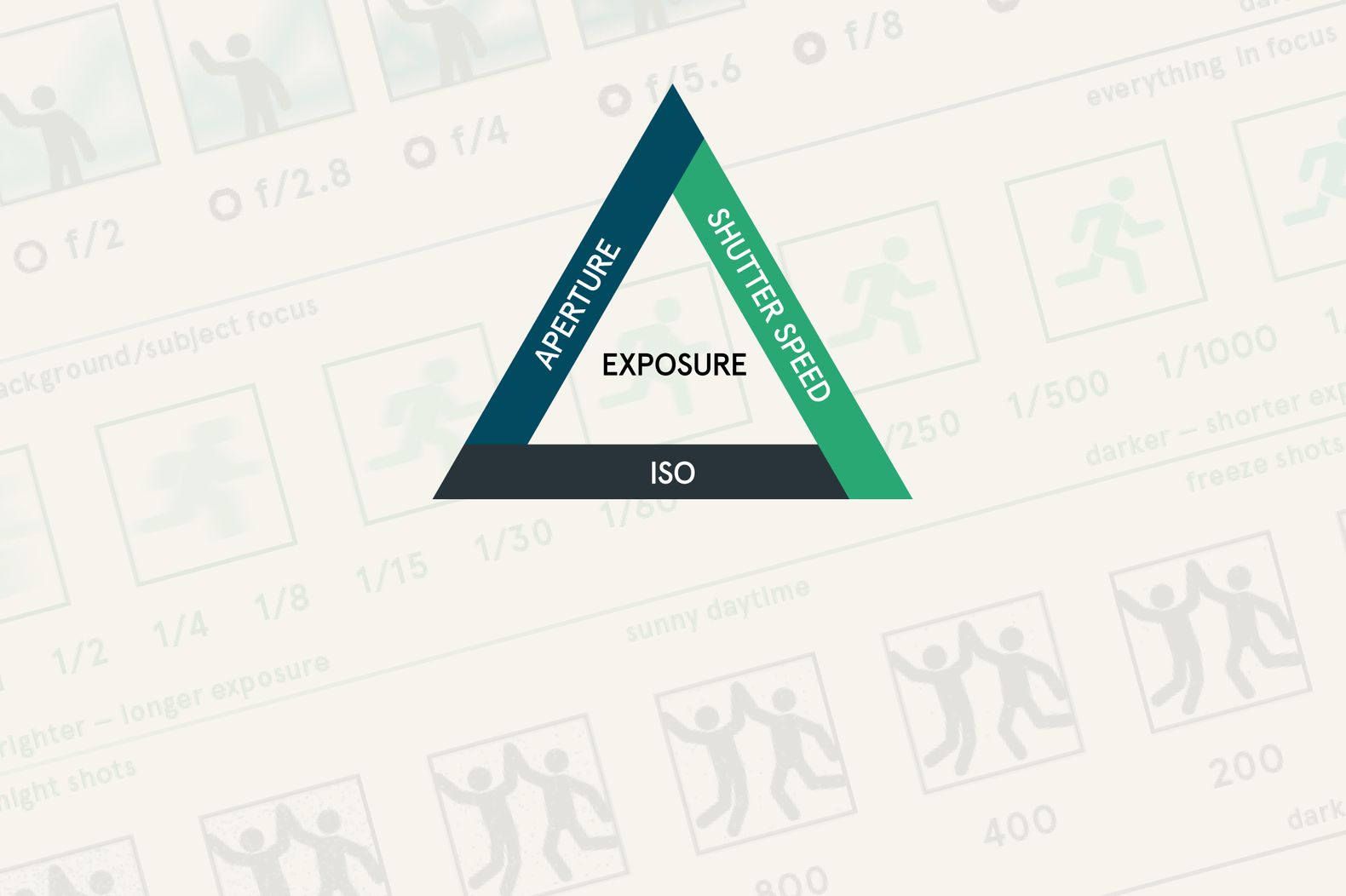
Aperture, shutter speed, and ISO work together to determine how bright or dark your photo looks. Together, these three settings make up the exposure triangle, one of the most important photography fundamentals to understand.
Each setting affects exposure differently. Aperture controls depth of field, shutter speed determines how motion appears, and ISO influences the brightness of the resulting image and how much noise you see. Learn how they work together, and you’ll have more control over your photos in everything from bright outdoor portraits to dimly lit indoor events.
You don’t have to master manual mode overnight, either. Understanding the exposure triangle will help you make better decisions in any shooting mode.
The exposure triangle describes the relationship between aperture, shutter speed, and ISO. All three influence the brightness of your image, but each comes with a different trade-off.
The trick is knowing which setting to prioritize. If you’re photographing a bird in flight, you’ll need a fast shutter speed to freeze its movement. If you’re shooting a portrait with a soft, blurred background, aperture will probably matter more. In either case, the other settings help you reach the brightness you need.
| Setting | What It Controls | Typical Trade-Off |
| Aperture | Light entering the lens and depth of field | Wider apertures create shallower depth of field; narrower apertures keep more of the scene in focus |
| Shutter Speed | Exposure duration and how motion appears | Faster speeds freeze motion; slower speeds create more motion blur and increase the risk of camera shake |
| ISO | Image brightness through signal amplification and processing | Faster speeds freeze motion; slower speeds create more motion blur and increase the risk of camera shake |
Knowing what each setting does is one thing. Choosing settings when you’re actually behind the camera is another. Use these as starting points, then adjust for your lighting, subject, lens, and creative goals.
| Photography Situation | Aperture | Shutter Speed | ISO |
| Portrait with a blurred background | f/1.8–f/2.8 | 1/250 sec | 100–800 |
| Landscape in daylight | f/8–f/11 | 1/125 sec or faster handheld | 100–200 |
| Kids, pets, or casual action | f/2.8–f/5.6 | 1/500 sec or faster | 400–3200 |
| Indoor event or gathering | f/1.8–f/2.8 | 1/125–1/250 sec | 800–6400 |
| Waterfall with intentional blur | f/8–f/11 | 1/2–2 sec, using a tripod | 100 |
These ranges aren’t rules. A fast-moving subject may need 1/1000 sec or faster, while a stationary landscape on a tripod can accommodate a much slower shutter speed. Modern cameras also handle higher ISO settings differently, so learn what your particular camera can deliver.
An exposure stop is a unit of measurement that describes a doubling or halving of light or, in the case of ISO, a doubling or halving of the image brightness produced by the setting.
A one-stop change in aperture or shutter speed doubles or halves the amount of light reaching the sensor. A one-stop ISO increase doubles the ISO setting and generally doubles the brightness of the resulting image, assuming the other settings stay the same.
Here’s what that looks like in practice:
Aperture
Shutter speed
ISO
The real advantage of understanding stops is that you can compensate for a change without guessing. Say your photo is correctly exposed at f/4, 1/250 sec, and ISO 400. You decide you want a wider aperture of f/2.8 for a softer background. That adds one stop of light. To maintain the same brightness, you could increase your shutter speed to 1/500 sec.
You’ve changed the look of the photo without changing its overall exposure.
Aperture is the adjustable opening inside your lens. It’s measured in f-stops, such as f/1.8, f/2.8, f/5.6, and f/11.
The numbering can feel backward at first: a smaller f-number means a wider opening, while a larger f-number means a narrower opening.
A wide aperture lets in more light and produces a shallower depth of field, making it easier to separate your subject from the background. A narrow aperture lets in less light and generally keeps more of the scene in focus.
When to use a wide aperture: Portraits, indoor photography, and low-light situations where you need more light. An aperture such as f/1.8 or f/2.8 can help blur a distracting background.
When to use a narrow aperture: Landscapes, architecture, and group photos where you want more of the scene to appear sharp. Try f/8 or f/11 as a starting point.
Aperture isn’t the only factor in background blur. Focal length, subject distance, and the distance between your subject and the background all play a role. And when photographing a group, stopping down can help keep everyone in focus, but you’ll still need to pay attention to how people are positioned.
Shutter speed determines how long light reaches the sensor during an exposure. It’s measured in seconds or fractions of a second, such as 1/60 sec, 1/250 sec, or 1/1000 sec.
A fast shutter speed freezes movement. A slow shutter speed allows movement to register as blur. Both can be useful, depending on the image you’re after.
When to use a fast shutter speed: Sports, wildlife, children, pets, and other moving subjects. Start around 1/500 sec for general action and increase to 1/1000 sec or faster for particularly quick movement.
When to use a slower shutter speed: Waterfalls, flowing water, light trails, and other creative effects. A tripod helps keep stationary parts of the scene sharp while moving elements blur.
Shutter speed also affects handheld sharpness. Even a stationary subject can look blurry if your hands move during a long exposure. A common starting point for handheld photography is 1/125 sec, but the best speed depends on focal length, stabilization, and how steady you are. Moving subjects may require a much faster shutter regardless of how steady you hold the camera.
If your subject looks blurry, identify the cause before changing settings. Motion blur from your subject calls for a faster shutter speed. Camera shake may also call for a faster shutter, better support, or image stabilization.
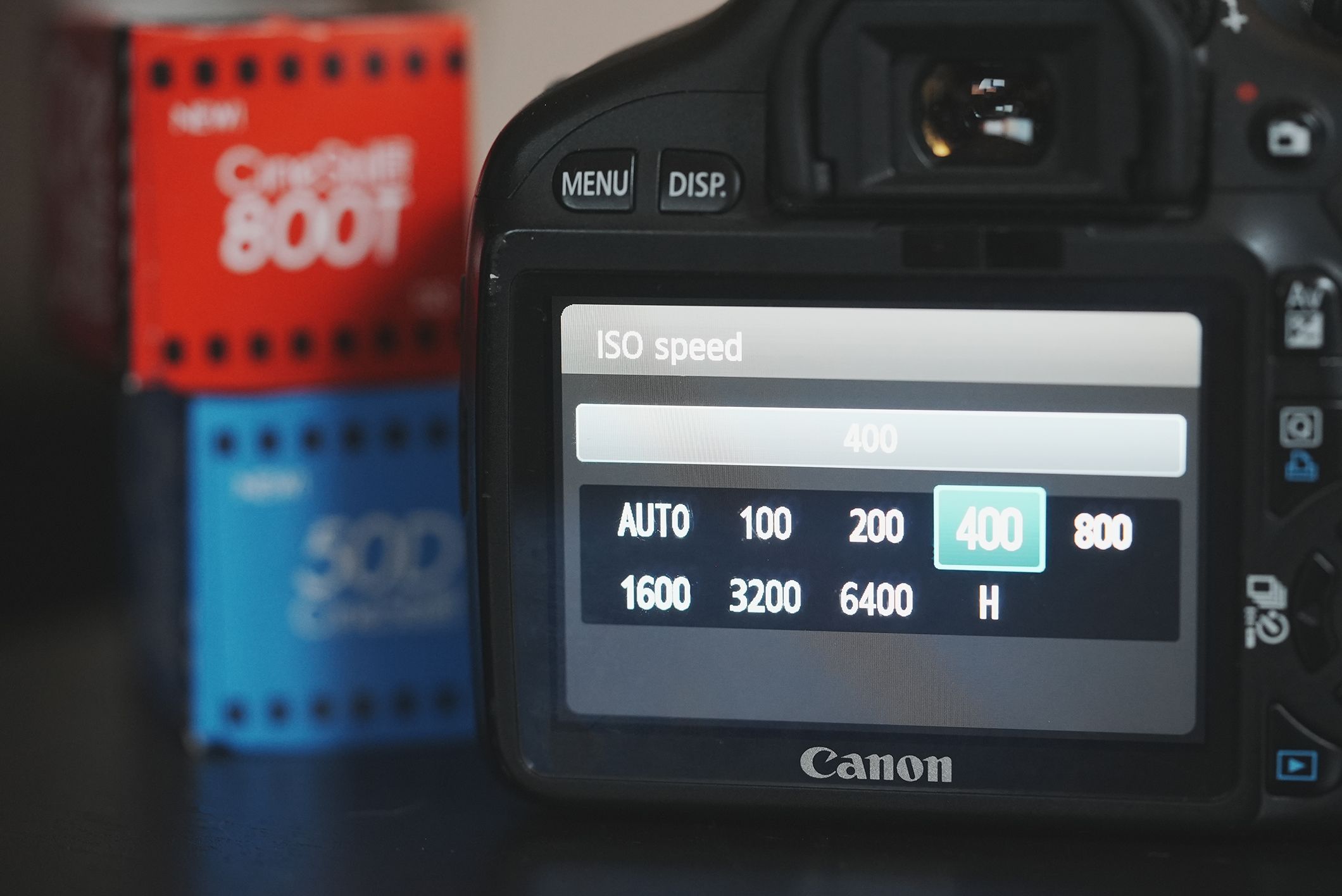
ISO is the third part of the exposure triangle, and it’s often the most misunderstood.
Your camera’s ISO setting affects how the sensor’s signal is amplified and processed into the image. Increasing ISO makes the resulting image brighter at the same aperture and shutter speed, but it doesn’t increase the amount of light the sensor captures.
Higher ISO settings can make noise more visible and reduce the detail or dynamic range available in an image. The exact impact depends on the camera, exposure, and processing. Lower ISO settings generally offer cleaner results when there’s enough light to use them.
When to use a low ISO: Bright daylight, landscapes, studio photography with controlled lighting, or any situation where you can achieve your desired aperture and shutter speed without raising ISO.
When to raise ISO: Indoor events, evening street photography, dimly lit venues, or any situation where you need a faster shutter speed or a narrower aperture than the available light allows.
For example, you’re photographing a family gathering indoors. Your aperture is already wide, and you need 1/250 sec to keep moving people sharp. If the image is too dark, raising ISO may be the right move. A little noise is usually preferable to motion blur that ruins the shot.
Don’t treat high ISO as a mistake. The goal is a well-exposed, usable photograph, not the lowest possible number on the ISO dial.
Once you understand each setting, the next step is learning how to balance them. The easiest approach is to start with what matters most for the photograph, then use the remaining settings to reach the exposure you want.
Decide whether depth of field, motion, or available light matters most.
Choose an aperture or shutter speed that suits your subject. For example, start at f/2.8 for a portrait or 1/1000 sec for fast action.
Check the light meter or take a test shot. If the image is too dark, open the aperture, slow the shutter speed if motion allows, or raise ISO. If it’s too bright, reverse those adjustments.
Remember that each change has a consequence. Slowing the shutter can introduce blur. Opening the aperture reduces depth of field. Raising ISO can make noise more noticeable. Choose the adjustment that least compromises your intended image.
Check the image for sharpness, highlights, shadows, and noise. A photograph can look balanced on the camera’s screen while still having blown highlights or an out-of-focus subject. Use your histogram and highlight warnings if your camera offers them.
Make one adjustment at a time when you’re learning. You’ll see the relationship between settings more clearly and build the confidence to work faster.
Manual mode is useful, but it isn’t the only way to learn exposure. Aperture priority, shutter priority, and Auto ISO give you control over the settings that matter most while letting the camera handle some of the balancing.
Aperture priority (A or Av) lets you choose aperture while the camera selects shutter speed. It’s useful for portraits, landscapes, and everyday photography when depth of field is your main concern.
Shutter priority (S or Tv) lets you choose shutter speed while the camera selects aperture. Use it for sports, wildlife, and moving subjects when freezing action or creating motion blur matters most.
Auto ISO allows the camera to adjust ISO automatically as lighting changes. You can often combine it with aperture priority or shutter priority, and some cameras let you set a maximum ISO or minimum shutter speed. These controls help you avoid unnecessarily high ISO or shutter speeds that are too slow for the situation.
Manual mode (M) gives you direct control over aperture, shutter speed, and ISO. It’s particularly useful when lighting is consistent, when you need repeatable settings, or when the camera’s meter isn’t interpreting a scene the way you want.
Try photographing the same subject in aperture priority, shutter priority, and manual mode. Compare the results, paying attention to what the camera adjusts and what you control. You’ll learn the exposure triangle through practice instead of memorizing numbers.
When a photo doesn’t look right, identify the problem and adjust the setting that addresses it.
| Problem | What To Try |
| Photo is too dark | Open the aperture, slow the shutter if motion allows, or raise ISO |
| Photo is too bright | Narrow the aperture, speed up the shutter, or lower ISO |
| Moving subject is blurry | Increase shutter speed; raise ISO if needed to maintain exposure |
| Background is too sharp | Use a wider aperture and consider changing subject-to-background distance |
| Too much of the scene is out of focus | Use a narrower aperture and check your focus placement |
| Image has too much visible noise | Lower ISO if possible, add light, or use a wider aperture or slower shutter when appropriate |
| Highlights are blown out | Reduce exposure and check the histogram or highlight warnings |
Keep the creative goal in mind. If you’re photographing a moving subject in low light, lowering ISO might make the image cleaner but force a shutter speed that’s too slow. If you’re shooting a landscape, a narrower aperture may be worth the extra light required. There’s no universal fix; the right adjustment depends on the shot.
The fastest way to learn the exposure triangle is to practice with a camera and lens you know well. You don’t need the newest equipment to get started. A camera with accessible manual controls and a lens that suits your subjects will give you plenty of room to experiment.
At KEH, you can shop KEH Certified™ pre-owned cameras and lenses that have been inspected, graded, tested, and cleaned by experienced camera technicians. Whether you’re building your first kit or adding a lens to the gear you already own, you can find equipment to match your budget and the kind of photography you want to explore.
Ready to put your settings into practice? Explore cameras and lenses at KEH.com, then take your gear out and start experimenting. The more you shoot, the easier these decisions become.
Remember that aperture controls depth of field, shutter speed controls motion, and ISO affects image brightness through signal amplification and processing. All three influence exposure, but each comes with different trade-offs.
There isn’t one set of settings that works for every situation. Try f/2.8, 1/250 sec, and ISO 400 as a starting point for a portrait, then adjust for your lighting and subject. For action, start around 1/500 sec or faster. Use these as starting points, not fixed rules.
No. Aperture priority and shutter priority are useful ways to learn how individual settings affect your images. Auto ISO can help you maintain a usable exposure as lighting changes. Manual mode is valuable when you want full control, but it isn’t a requirement for taking great photos.
No. Increasing ISO changes how the camera amplifies and processes the sensor’s signal to produce a brighter image. The amount of light captured depends on factors such as aperture, shutter speed, and available light. Higher ISO can make noise more visible.
One stop represents a doubling or halving of light for aperture and shutter speed. For ISO, a one-stop increase doubles the ISO setting and generally doubles image brightness when the other settings stay the same. Understanding stops helps you balance settings without guessing.
Not necessarily. A low ISO can produce cleaner results, but getting the shot matters more than keeping ISO low. In low light or when photographing action, raising ISO may be the best way to maintain a fast enough shutter speed and avoid motion blur.